Setup your LIN, CAN, CAN FD, and J1939 bus communication on different dSPACE platforms for simulation, inspection, and manipulation purposes.

Performance
Import very complex communication description files.

SIL-HIL Transition
Seamless integration from Software-in-the-Loop, Rapid Control Prototyping to Hardware-in-the Loop.

Automation & Adaptability
Customize restbus configurations with the Automation Interface and migrate different versions of communication matrices.

Easy to use
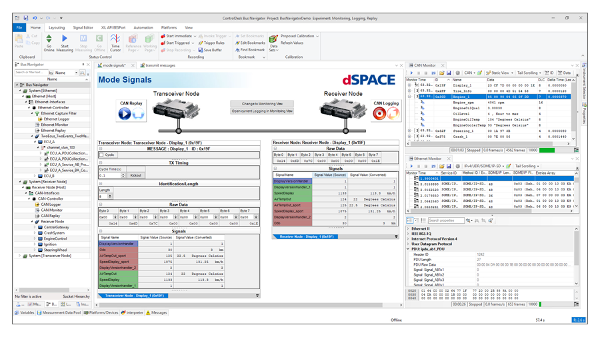
No programming skills required - Configurate your bus communication easy via drag & drop.
What is Bus Manager?
The dSPACE Bus Manager is a powerful tool for configuring your LIN, CAN, CAN FD, and J1939 bus communication for the associated simulation platforms quickly and in the necessary level of detail as part of your simulation, inspection, and manipulation tasks, e.g., for restbus simulation (hardware-in-the-loop/ software-in-the-loop), and rapid control prototyping tasks.
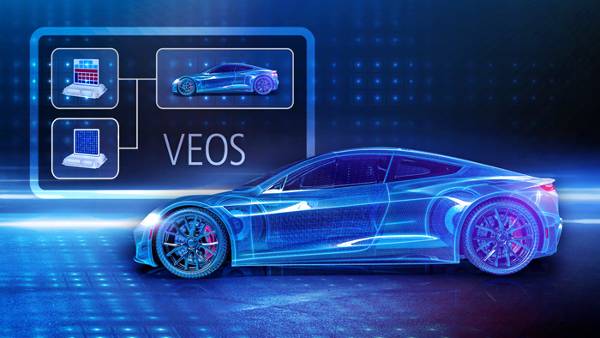
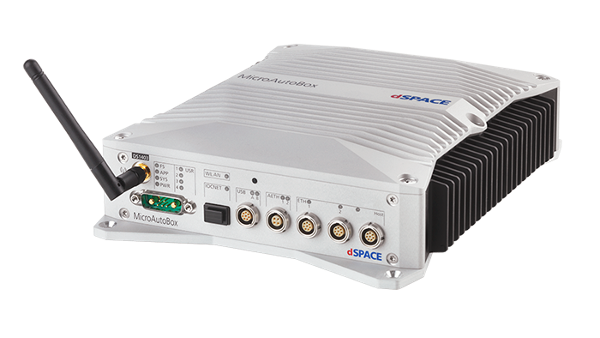
The powerful configuration software works closely together with the modular dSPACE real-time system SCALEXIO, the compact, robust in-vehicle prototyping system MicroAutoBox III, and VEOS, the platform for PC-based simulation.
Application Areas
The dSPACE Bus Manager is a powerful tool for configuring bus communication for simulation purposes.
- Rapid Control Prototyping
- Hardware-in-the-loop
- Software-in-the-loop
Key Benefits of the Bus Manager
The Bus Manager offers numerous specialized features for visualization, data import and export, manipulation, monitoring, and automation.
This tool enables you to import very complex communication description files quickly. It allows you to intergrate your restbus simulation from Rapid Control Prototyping and Hardware-in-the-loop to Software-in-the-loop applications. With the Automation Interface Tool, you can customize your restbus configuration and automate your necessary steps. Thanks to the easy configuration via drag & drop, no programming skills are reuired.
This makes the Bus Manager an important part of your tool chain for developing and testing embedded controller software that drastically reduces hand-programming.

Open & Extensible
An comprehensive automation interface enables you to script reoccurring tasks. Specific requirements can be fulfilled by invoking your individual user code.

AUTOSAR Support
The Bus Manager supports the latest AUTOSAR versions and communication features like Secure Onboard Communication, End-to-end Protection and Global Time Synchronisation.

Modeling-tool-independent
With the model interface you can connect your bus simulation to different environment models, e.g., MATLAB® Simulink®, or via Functional Mockup Units to other tools. The model interface is intependent from other modeling tools.
Tool Chain & Workflow
The Bus Manager offers a convenient and straight-forward workflow for implementing bus simulations. In general, the same workflow applies to virtual scenarios with VEOS and real-time systems with SCALEXIO and the MicroAutoBox III:
- Import one or more bus communication matrices. All relevant information is extracted automatically for the subsequent bus configuration.
- Create a bus configuration
- Define and configure the parts to be simulated
- Configure manipulation and inspection if required
- Specify the real-time hardware access (this step only applies to RCP and HIL scenarios).
- Finally, start the build process, and download (applies to RCP and HIL scenarios) and execute the real-time application or execute a virtual simulation using the Bus Simulation Container (BSC) by the VEOS Player.
Functionality Overview
| Functionality | Description |
| General |
|
| LIN |
|
| CAN / CAN FD |
|
| Bus Manipulation and Inspection |
|
Bus Manager Variants
Bus Manager in ConfigurationDesk
The Bus Manager in ConfigurationDesk lets you configure bus communication and implement it directly in a real-time application for dSPACE SCALEXIO, MicroAutoBox III, or MicroLabBox II systems. Alternatively, it lets you generate bus simulation containers. Bus simulation containers can be used on various dSPACE simulation platforms. For example, you can use bus simulation containers in the VEOS Player to implement the configured bus communication in an offline simulation application for VEOS.
Bus Manager as Stand-Alone Solution
The Bus Manager lets you configure bus communication and generate bus simulation containers. To use the configured bus communication on a specific dSPACE simulation platform, you can import the bus simulation containers to the VEOS Player or ConfigurationDesk, for example. The VEOS Player lets you implement the bus communication in an offline simulation application, ConfigurationDesk lets you implement the bus communication in a real-time application. You can also reuse projects you used with the Bus Manager (stand-alone) with the Bus Manager in ConfigurationDesk (e.g., to work with an already configured bus communication and implement it in a real-time application).
Optional Products



Support for Bus Manager Users
Links to detailed technical information and customer service. Access may require registration.


