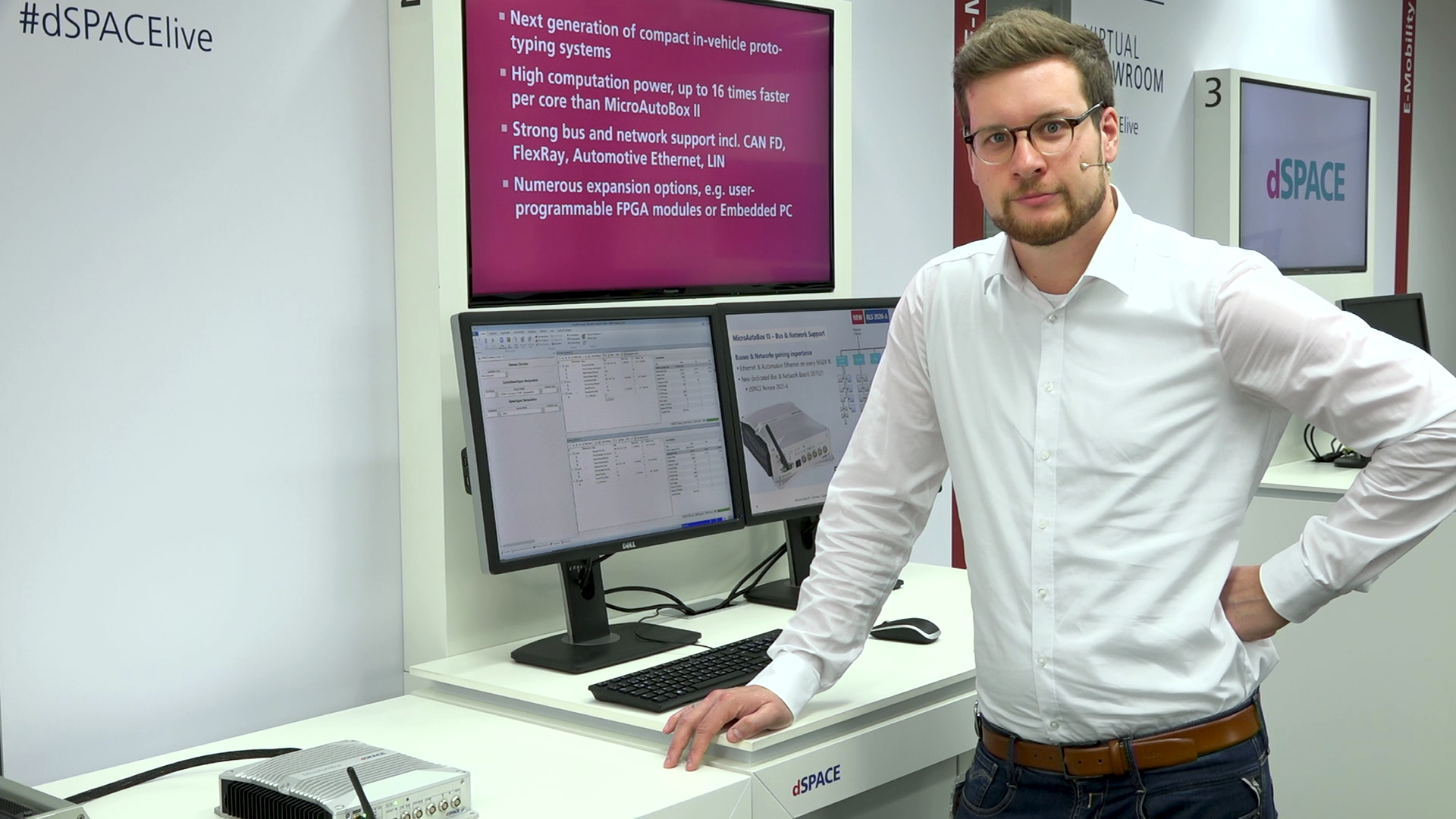
The MicroAutoBox III is a real-time system for performing fast in-vehicle function prototyping of controller models developed with MATLAB®/Simulink®.

Simple & Fast Commissioning
The MicroAutoBox III can be quickly and easily integrated into existing test structures.

High Processing Power
Calculate complex models quickly with our high-performance I/O boards.

Bus & Network Support
Working with the latest bus and network technologies.

Compact & Robust Design
Compact and robust in-vehicle prototyping system perfect suited for your application.
What is the MicroAutoBox III?
The MicroAutoBox is a compact rapid control prototyping (RCP) unit that can replace an electronic control unit (ECU) in a vehicle or controlled system, allowing you to experience and test control functions in a real environment. The control software is developed model-based using MATLAB®/Simulink®. The MicroAutoBox can be equipped with I/O interfaces as well as bus and network interfaces for various applications.
Application Areas
MicroAutoBox III is ideal for many different rapid control prototyping (RCP) applications from autonomous driving to zero emissions either as a single demonstrator or for equipping entire test fleets. Examples of application fields are:
- E-mobility, electrification, and powertrain control
- Assisted, highly automated, and autonomous driving
- Chassis, body, and vehicle dynamics control
- Supervisory and domain control
- Bus/network gateway and monitoring
- Noise, vibration, position, and motion control





Bus & Network Interfaces
The MicroAutoBox III supports a variety of bus and network interfaces such as CAN, LIN, Flexray, Ethernet and Automotive Ethernet. The toolchain supports you in configuring the communication interfaces, verifying the communication and monitoring the bus and network traffic.

ECU Interfacing
ECU interfacing includes methods and tools for analyzing and preparing ECUs for accessing internal ECU data, e.g. in bypassing or data logging scenarios. New functions for an existing ECU can be easily developed and tested with the MicroAutoBox III.

Well-Established dSPACE Tool Chain
The ConfigurationDesk software connects a Simulink® model to the hardware interfaces of the MicroAutoBox III. The optional Bus Manager configures the CAN and LIN interfaces. The ECU Interface Manager defines ECU access for calibration, measurement, or bypass applications. Once the interfaces are configured, the model can be executed with a single click. ConfigurationDesk supports both Simulink® models and Functional Mock-Up Units (FMU). During runtime, ControlDesk can be used to visualize, measure, and adjust model variables. The USB port of the MicroAutoBox III also allows for data logging.

User-Programmable AMD® Kintex® 7 FPGA
With the I/O functions provided by dSPACE for fast prototyping implementations, you can run your own model on the MicroAutoBox III processor or create your own FPGA application, either model-based or written in VHDL. dSPACE also offers a variety of libraries for model-based FPGA development to benefit from the speed of an FPGA without having to deal with the difficulties of FPGA design.
Technical details & variants
Technical details
The MicroAutoBox III contains a processor board (DS1403) and at least one I/O board. The processor board executes the real-time application and the I/O board provides the electrical interfaces for measuring and controlling signals of external devices and those for bus and network communication, such as CAN or Ethernet. Up to two boards can be added to the basic version.
The following I/O boards are available for the MicroAutoBox III:
| I/O Board | Description |
| DS1511 I/O Board | A universal I/O board that provides more digital I/O channels. |
| DS1511B1 I/O Board | A universal I/O board that provides more digital I/O channels and an extended voltage range of the analog input channels from -10 to +10 V. |
| DS1513 I/O Board | A universal I/O board that provides more analog I/O channels and more CAN interfaces. |
| DS1514 FPGA Base Board | A board for user-programmable FPGA applications with application-specific I/O extensions. To provide I/O interfaces, you can choose between the universal DS1552 Multi-I/O Module, the DS1552B1 Multi-I/O Module, the DS1553 AC Motor Control Module, or the DS1554 Engine Control I/O Module. In addition, up to 2 DS4342 CAN FD Interface Modules or DS4340 FlexRay Interface Modules can be installed to extend the scope of the bus interfaces. |
| DS1521 Bus Board | A bus and network board that offers more automotive bus interfaces, such as CAN FD, CANFD SIC, automotive Ethernet, MACsec. |
Variants
The MicroAutoBox III is available in different variants, which provide different numbers of analog or digital I/O channels, advanced bus and network interfaces, or even a user-programable FPGA for very fast control loops as required in e-mobility applications. Furthermore, there are dedicated extensions, e.g., a MicroAutoBox III Embedded PC for ADAS/ AD applications or an I/O module for engine control. All this makes the MicroAutoBox III a powerful and flexible development system for nearly all mechatronic in-vehicle applications, from autonomous driving to zero emissions.
To ensure that the MicroAutoBox III can also be used in field tests when all processors are constantly working under full load, dSPACE offers a cooling unit. Active cooling extends the permissible temperature range so that the MicroAutoBox III also functions safely under extreme conditions.
The cooling unit can be easily integrated without changing the footprint of the MicroAutoBox III.


Cooling Unit
To ensure that the MicroAutoBox III can also be used in field tests when all processors are constantly working under full load, dSPACE offers a cooling unit. Active cooling extends the permissible temperature range so that the MicroAutoBox III also functions safely under extreme conditions. The cooling unit can be easily integrated without changing the footprint of the MicroAutoBox III.
Purpose and suitability of the variants
| Variant | Description |
| 1403/15111) | Focus on digital I/O channels: 40x Digital In, 40x Digital Out, 16x Analog In, 4x Analog Out, 4x CAN, 2x LIN, 2x I/O Ethernet, 2x automotive Ethernet |
| 1403/1513 | Focus on analog I/O channels: 24x Digital In, 24x Digital Out, 32x Analog In, 8x Analog Out, 6x CAN, 3x LIN, 2x I/O Ethernet, 2x automotive Ethernet |
| 1403/1521 | Focus on bus & network interfaces: 8x CAN FD, 2x FlexRay, 5x automotive Ethernet, 3x LIN, 6x Digital In/Out, 4x Analog In, 2x I/O Ethernet |
| 1403/1511/15141) | Same channel set as the 1403/1511, plus the DS1514 freely programable FPGA extension, e.g., for electric drives or engine-specific I/O and module slots for further CAN FD or FlexRay channels |
| 1403/1513/1514 | Same channel set as the 1403/1513, plus the DS1514 freely programable FPGA extension, e.g., for electric drives or engine-specific I/O and module slots for further CAN FD or FlexRay channels. |
| 1403/1521/1521 | Focus on bus & network interfaces: 16x CAN FD, 4x FlexRay, 6x automotive Ethernet, 6x LIN, 12x Digital In/Out, 8x Analog In |
| 1403/1511/15211) | Combined variant with the channel set of the DS1511 (I/O) and DS1521 (bus and network interfaces) |
| 1403/1513/1521 | Combined variant with channel set of the DS1513 (I/O) and DS1521 (bus and network interfaces) |
| 1403/1511/1514/15211) | Combined variant with the channel set of the DS1511 (I/O) and DS1521 (bus and network interfaces), plus the DS1514 freely programable FPGA extension, e.g., for electric drives or engine-specific I/O and module slots for further CAN FD or FlexRay channels. |
| 1403/1513/1514/1521 | Combined variant with the channel set of the DS1513 (I/O) and DS1521 (bus and network interfaces), plus the DS1514 freely programable FPGA extension, e.g., for electric drives or engine- specific I/O and module slots for further CAN FD or FlexRay channels. |
The following additional interfaces are available on every MicroAutoBox III variant:
- 1x Ethernet host interface
- USB for data logging and IOCNET


