Software-in-the-loop (SIL) tests enable fully virtual testing of electronic control units (ECU) – including a virtual test system, virtual ECUs, virtual bus communication, and a virtual environment. SIL is indispensable for shortening development cycles and ensuring quality right from the start.
What is software-in-the-loop (SIL) testing?
Software-in-the-loop means testing the functions of a control unit on a PC when no ECU hardware is available and without specialized test or simulation hardware. SIL tests support the development process and enable early tests of initial functions, complete ECU software, or complex systems with several virtual ECUs (V-ECU) and their bus communication.
Early tests for each development step increase the quality of your functions and reduce the need for error fixing later on.
Software-in-the-Loop Highlights
- Integrated end-to-end test environment for SIL testing across multiple development stages and for different application areas, from early software tests and frontloading of test preparation tasks to the comprehensive validation of entire systems
- Open SIL solution that allows you to get all parts from dSPACE, while also enabling integration of third-party elements
- Seamless transition between SIL and HIL, e.g., for reusing your SIL/HIL tests
- Experience gained from many customer projects – we are your partner for building a SIL simulation environment tailored to your needs
The result: increased efficiency, productivity, and reliability for your innovations!
dSPACE Offer for Software-in-the-Loop Tests
For all the components of a SIL test system, dSPACE offers solution and implementation know-how. Our end-to-end solutions enable you to set up a smooth testing environment across different departments and suppliers. All your configurations, artifacts, models, and test scenarios can be reused between software-in-the-loop tests and hardware-in-the-loop tests, resulting in a seamless transition.
Systems Under Test
The developed software is the core of any validation and is therefore called the system under test (SUT).
Where do I get the system under test for my SIL test?
A system under test can come in different forms and from different sources. Based on the classification of your virtual SUT, the effort required to integrate it into the SIL simulation and the feasible test scope differs.
- Excecution framwork
- Algorithms
- Virtual ECUs
Execution Framework as System Under Test for SIL
This is the case if the SUT already exists and is executable within the framework without an additional simulator. Functional tests without the need for more complex input or plant models can be executed directly in this framework.
An extended SIL solution comes into play when the test scope needs to be extended, e.g., for testing traffic scenarios in closed-loop tests or for tests that include further virtual SUTs. In this case, the framework needs to be coupled with a simulation and integration platform which simulates the remaining parts.
Example tools for execution frameworks are RTMaps, ROS, and the use of containers, such as Docker.
Algorithms as System Under Test for SIL
A system under test can also consist of one or more algorithms, either model-based or code-based. A dedicated SIL environment enables functional testing of the algorithms in combination with further participants, e.g., V-ECUs, models, or test tools.
For both model-based and code-based algorithms, the effort required to integrate the SUT into a SIL simulation is low. With model-based algorithms, tools such as TargetLink or Simulink can be used to export an artifact that can directly be integrated into the SIL simulation. For code-based algorithms, some information for the simulation platform needs to be configured, e.g., ports for connecting the SUT to the rest of the simulation system.
Virtual ECUs as System Under Test for SIL
Here we refer to software that represents all or part of an ECU. V-ECUs enable a wide range of tests, from functional tests, e.g., in CI/CD, to software-software integration tests of individual ECUs, and software integration tests of entire networks of ECUs including bus communication. They bridge the gap between testing at functional level and testing entire control units on hardware, thus enabling shift-left testing.
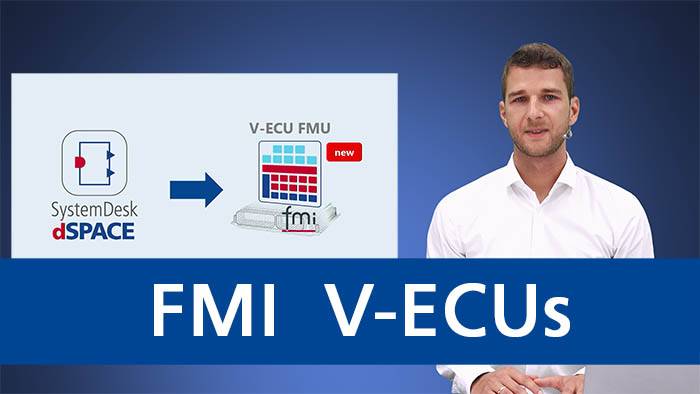
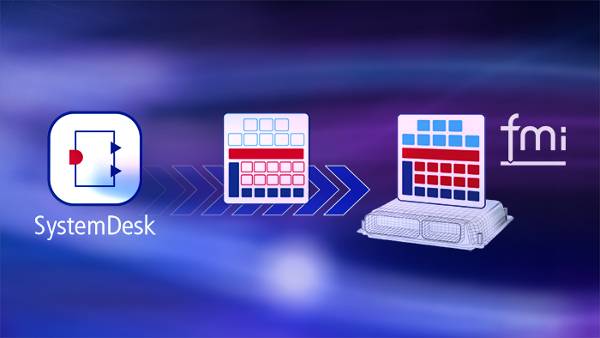
First, it is important to differentiate between classic OSEK-based ECUs and modern POSIX-based ECUs. The integration into the SIL simulation differs considerably between them. Production software for OSEK-based ECUs normally cannot simply run on a PC; the operating system must be simulated, and the interfaces to the hardware must be converted for SIL. dSPACE offers a powerful solution for Level 1 to 3 V-ECU with its SystemDesk product.
For POSIX-based ECUs, on the other hand, there are standard solutions for execution on the PC. These solutions then only need to be connected to the SIL simulation platform. VEOS already provides some connections for this, e.g., QEMU.
Matching the V-ECU Level to the Test Goal
The similarities between virtual ECUs and real ECUs increase from level 1 to level 4. The higher the level, the broader the test scope, ranging from initial function tests of the application software to complete ECU software tests including hardware effects.
Consequently, it is vital to choose the right V-ECU level for the targeted test scope. If you want to test the bus communication, for instance, a corresponding COM stack needs to be integrated into the V-ECU, which often requires a Level 3 V-ECU. Such requirements might result in a combination of V-ECUs of different levels. In such cases, the standardization of V-ECUs plays a role since the interfaces of those V-ECUs are clearly defined.
For more information on different V-ECU levels, their definitions, and existing standards, please refer to the prostep ivip white paper "Virtual Electronic Control Units" WhitePaper_V-ECU_2020_05_04-EN.pdf
Simulation Models
Plant, environment, and restbus models provide the system under test with realistic inputs and enable closed-loop testing
Different types of simulation models and where to get them
Different Types of Simulation Models and Where to Get Them
- Simulation models can provide inputs to and consume outputs from a system under test to enable closed-loop tests. Depending on the use case, sophisticated simulation models are available for:
- The simulation of vehicle dynamics (complex multibody simulation of passenger cars, trucks, trailers, bikes, and various off-highway applications).
- The simulation of different powertrains (ICE, fuel-cell, BEV) and batteries.
- The simulation of traffic and scenarios, including ready-to-use scenarios for regulations like NCAP, DCAS, and more.
- The simulation of sensors (camera, radar, lidar, and ultrasonic) on different levels of complexity (from raw-data to object-list data)
- Depending on the use case, simulation models can range from simple to highly complex. They can be obtained from different sources:
- Modeling experts can use Simulink and auto-generate Simulink models into a container format (SIC) that can be used on all dSPACE platforms.
- dSPACE ASM offers highly sophisticated models for vehicle dynamics, powertrain, and traffic simulations. The models are open and adaptable and serve as an ideal starting point for all testing needs. All models can run in real time or even faster – ideal for SIL and HIL testing.
- Restbus simulation (CAN, LIN, Ethernet, and Flexray) is possible based on bus simulation containers (BSC). They can easily be combined with functional simulation models like dSPACE ASM.
- All models are reusable for different use cases, such as:
- Rapid control prototyping (RCP) with dSPACE MicroAutobox III
- Software-in-the-loop (SIL) testing with dSPACE VEOS
- Hardware-in-the-loop (HIL) testing with dSPACE SCALEXIO
How can I visualize my SIL tests?
Preconfigured full-vehicle models and test scenarios help you get the simulation running. Parameters for the vehicle, the roads, or the scenario are changed via an editor.
The dSPACE Automotive Simulation Models provide you with open, modular, and scalable simulation models for a wide range of testing applications, e.g., vehicles, trucks, airplanes, or motorbikes.
You can use dSPACE AURELION to visualize the tests. The software provides realistic rendering. You can import custom 3D objects and sceneries and change the weather conditions at the click of a button.
Use physics-based sensor simulation to develop and test sensor suites, perception systems, and end-to-end automated driving systems.
The dSPACE sensor simulation is real-time capable, takes into account the physical properties of 3D assets, and enables highly realistic simulation of the following sensor types:
- Camera
- Photo-realistic rendering and realistic lighting effects
- Configuration of lens profiles and camera intrinsics
- Image modification and failure insertion (distortion, vignetting, chromatic aberration, pixel errors, lens errors, and more)
- Radar
- Physics-based, polarimetric calculation of the radar channel
- Different output modes: detection lists, target lists, channel impulse response, ADC raw data
- Multipath propagation of radar waves
- Lidar
- Mechanical-scanning or solid-state lidar
- Support of weather conditions (e.g., interaction of lidar with raindrops)
- Physical effects like rolling shutter
- Ultrasonic
- Physics-based calculation of the ultrasonic signals
- Includes effects of transducer interference
- Different output modes (channel impulse response, angle-resolved sound pressure)
- The dSPACE sensor simulation also provides pixel-perfect ground-truth information for all sensor types to support AI use cases with synthetic data generation.
Simulation and Integration Platforms
For executing all parts of the simulation system, such as simulation models, restbus simulation, and the system under test
Key Component Features of a Simulation and Integration Platform
A simulation and integration platform needs to integrate artifacts and formats provided by different in-house departments and external suppliers. The platform needs to support various types of components and virtual buses, such as Functional Mock-up Units (FMU), virtual electronic control units (V-ECU), Simulink implementation container (SIC), and bus simulation container (BSC). Virtual buses for CAN, LIN, and Ethernet enable the simulation of complex simulation systems.
How to connect to different simulators and tools?
The simulation system can be extended by co-simulation
- Signal-based via custom FMUs
- Signal- and bus-based via dSPACE Co-Sim API
A remote co-simulation allows you to distribute your simulation across large computation clusters. These clusters can consist of software simulation systems or can include hardware simulation components (SIL-HIL coupling). dSPACE has experience with including many 3rd party tools into a simulation system.
Connection to Test Automation and Experiment Tools
The simulation and integration platform VEOS supports interfaces for connecting with test automation and experiment tools – 3rd party tools and dSPACE tools alike.
- Built-in XCP Ethernet for access to Simulink and TargetLink models as well as V-ECUs
- Support of XIL API model access ports
- Access to virtual buses via dSPACE Bus API
- Variable and parameter access during simulation via dSPACE ControlDesk, dSPACE AutomationDesk, and 3rd party tools
Planning and Executing SIL Tests
- Chose the right method for you: signal-based, script-based, scenario-based, step-oriented, or data-replay testing
- Monitor test progress and visualize test results
- Create comprehensive reports and share them with your team
Automating SIL Tests
- Plan the test automation graphically or via code
- Create test schedules to run overnight so you can see the results in the morning
Controlling and Calibrating SIL Tests
- Perform measurement, calibration, and diagnostics during run time
- Access the simulation platform as well as the connected bus systems
- Use the same calibration software for virtual and real ECUs, as well as rapid control prototyping, SIL simulation, and HIL simulation
Automated Test Case Generation with Generative AI
Generative AI significantly reduces the manual effort required for test script development, configuration, and environment management. By automating the creation of new test cases and specifications, dSPACE enables faster, smarter, and more efficient test development, adding real value to the entire validation process.
SIL Projects by our Customers
PDF, 952.9 KB
Read how you can reuse SIL test artifacts for other test phases.
dSPACE Blog - What do our experts say
Support for SIL Users
Links to detailed technical information and customer service. Access may require registration.